Import reports from Income Access, MyAffiliates, Cellxpert, Affilka and NetRefer
How an iGaming affiliate network brings registrations, deposits and NGR from operator programmes into RastroAff, by file or by automatic import.
Updated on 20 Nov 2026
Casinos and sportsbooks run their affiliate programmes on platforms such as Income Access, MyAffiliates, Cellxpert, Affilka (SOFTSWISS) or NetRefer. Each operator has its own programme, and your network joins it as an affiliate. RastroAff matches the reports from those programmes against your clicks, so you know which of your affiliates brought each player and what that player is worth.
1. Pass the click ID to the operator's programme
The affiliate link the programme gives you accepts a free parameter for your own IDs (a sub-ID or tracking variable). Its name depends on the programme. Check in the programme, or ask the affiliate manager, which one it is and whether it shows up in the player report.
In RastroAff, use that link as the offer's destination URL and put {click_id} in that parameter:
https://programme-link.example/?btag=a_123b_45&subid={click_id}
If the programme merges your value with others (such as the btag, with prefixes), that's fine: RastroAff finds the click ID inside the value.
2. Export the player report
Export the player-level report from the programme, with these columns: player ID, the column with your sub-ID, the date (day or month) and whatever values you have (deposits, NGR, first deposit, country…). A report with only totals per tracker isn't enough, because it doesn't identify the player.
RastroAff reads CSV, Excel, JSON and XML.
3. Import
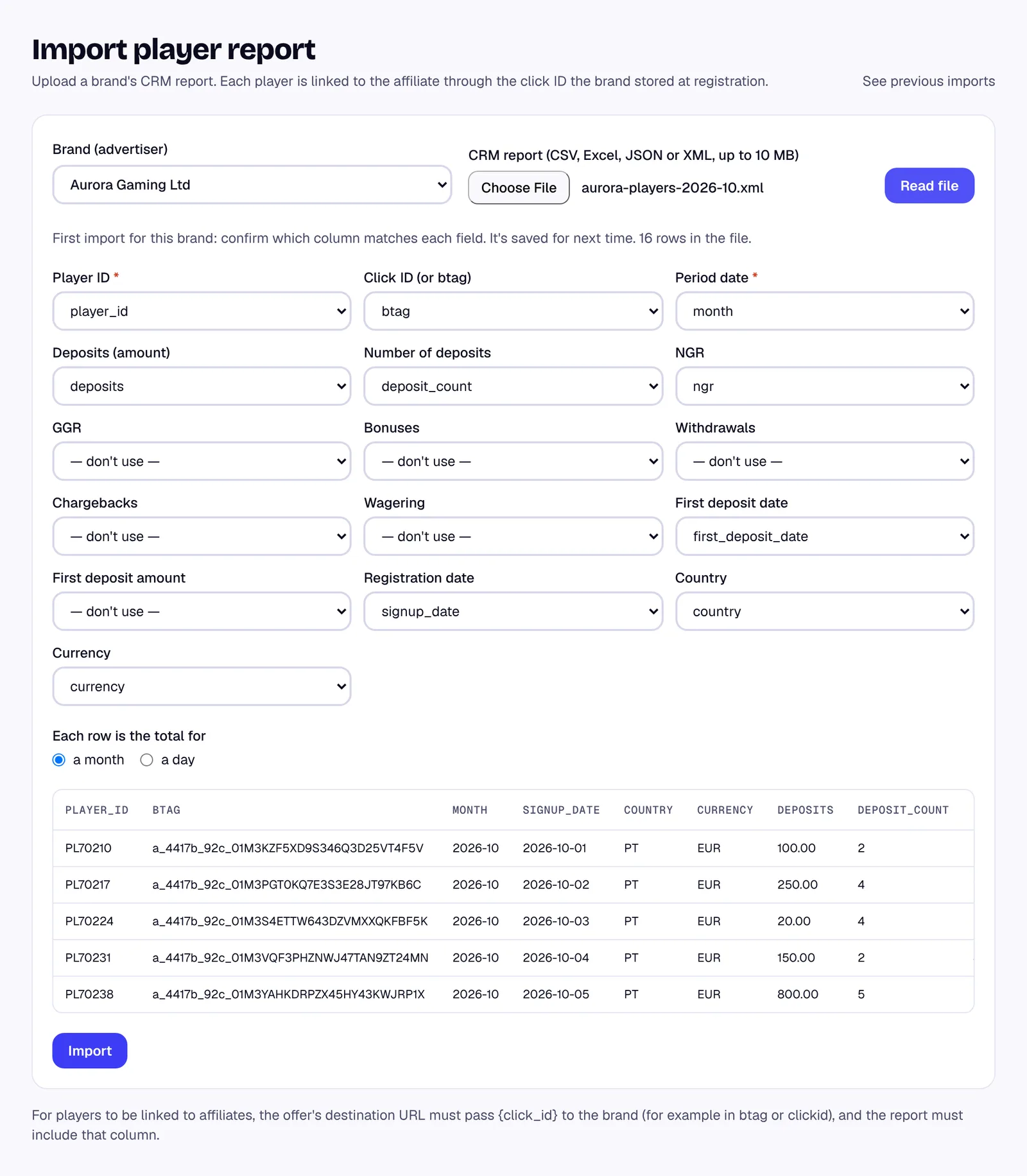
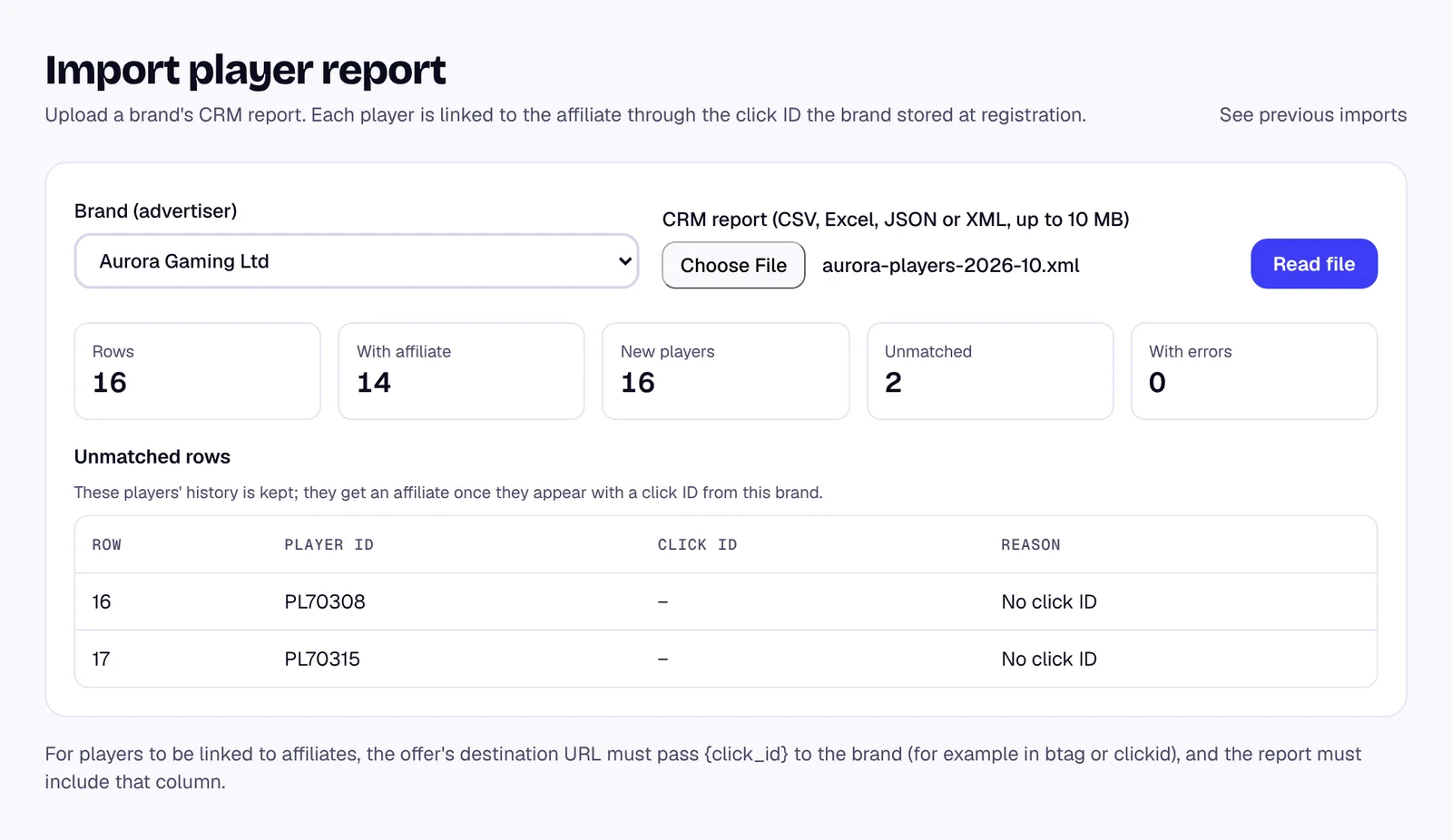
In Players → Import report, choose the operator (the advertiser in RastroAff) and the file. The first time, you confirm which column matches each field, and the mapping is saved for that operator. Each player is then linked to the affiliate who brought them. You can then compare quality by affiliate and pay revshare, CPA or hybrid deals.
4. Automatic import
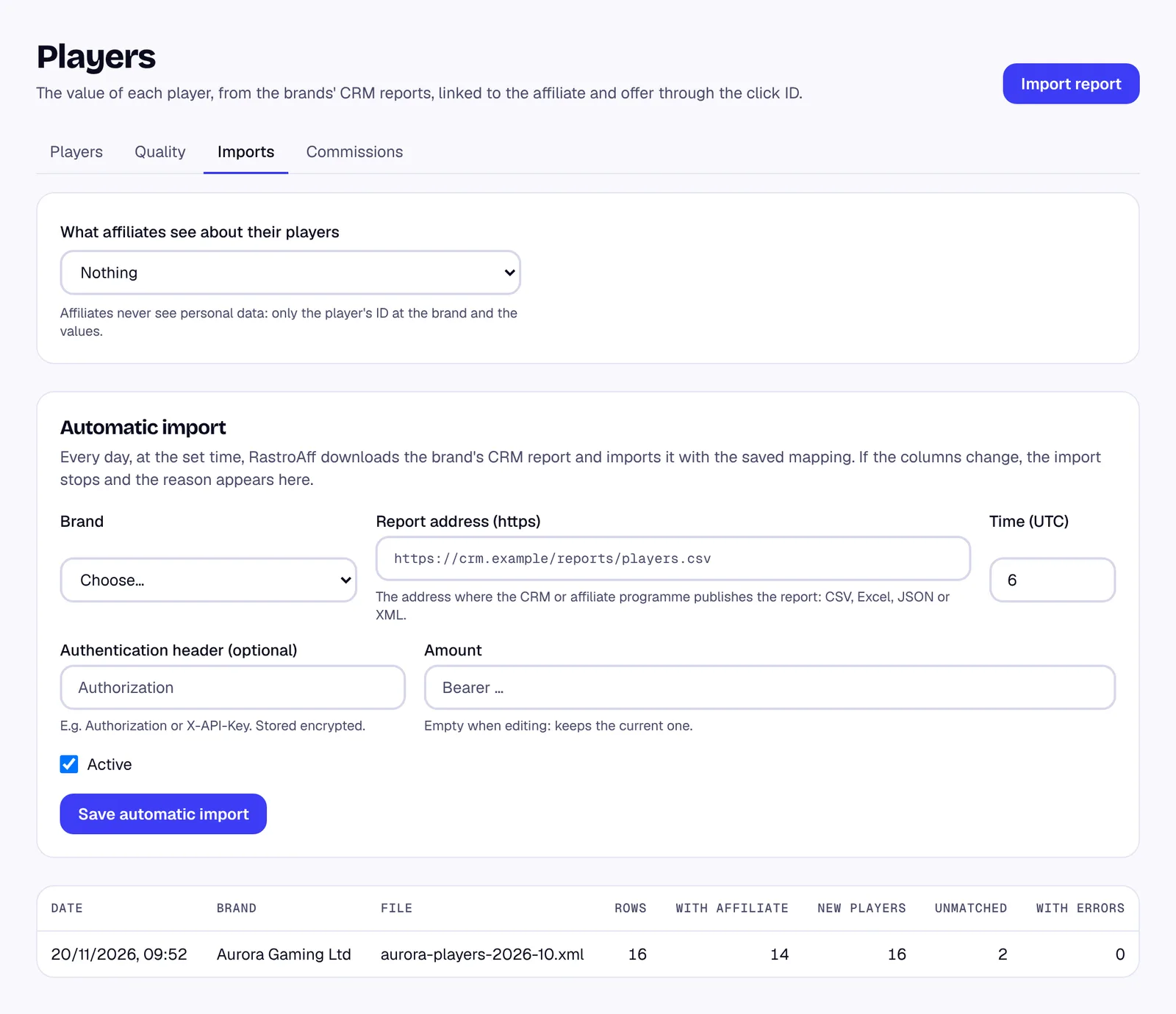
If the programme publishes the report at an address (a feed or a scheduled report), RastroAff can fetch it every day. In Players → Imports → Automatic import, enter the https address and, if needed, an authentication header. It works with CSV, Excel, JSON and XML. In JSON and XML, RastroAff finds the list of records and treats each field as a column. This option is on the Scale plan.
What we know about each platform
| Platform | Automatic reports for affiliates |
|---|---|
| Income Access | Has API reports in Reports → API Reports. In some programmes, access must be requested from the operator. |
| MyAffiliates | Has XML feeds for affiliates. Ask the programme for the addresses and authentication. |
| Cellxpert | Has a reporting API. The documentation is in the affiliate account. |
| Affilka (SOFTSWISS) | Has a Reports API. The documentation is in the affiliate account. |
| NetRefer | The ASR standard provides daily and monthly reports in JSON, when the operator enables it. |
None of these platforms publishes its technical documentation for affiliates, and RastroAff doesn't have a direct connection to them yet. File export works on all of them. If your programme gives you a report address, use the automatic import.
Good to know
- Importing the same period again replaces the values, with no duplicates.
- A player without a click ID is kept as unmatched. They get an affiliate as soon as they appear with a valid click ID.
- If you are the operator and want to send the data directly, see the player activity API.