Migrate from Everflow to RastroAff: offers, events, partners and advertisers
Move your Everflow network to RastroAff with the Network API: what is migrated, how to create the API key, how macros like {transaction_id} are converted, and next steps.
Updated on 20 Nov 2026
RastroAff reads your Everflow account through the Everflow Network API and brings over your offers, events, advertisers and partners. Nothing is changed in Everflow: the migration only reads.
What is migrated
- Offers: name, destination URL, description, status, visibility, currency, default payout and revenue, daily and monthly conversion caps, and targeted countries.
- Events: each extra payout/revenue entry of an offer (for example First Deposit) becomes a goal in RastroAff, with its own payout and revenue.
- Advertisers and partners (affiliates), with the email of their user account.
Offers are created as drafts, so you can review them before activating.
1. Create a Network API key in Everflow
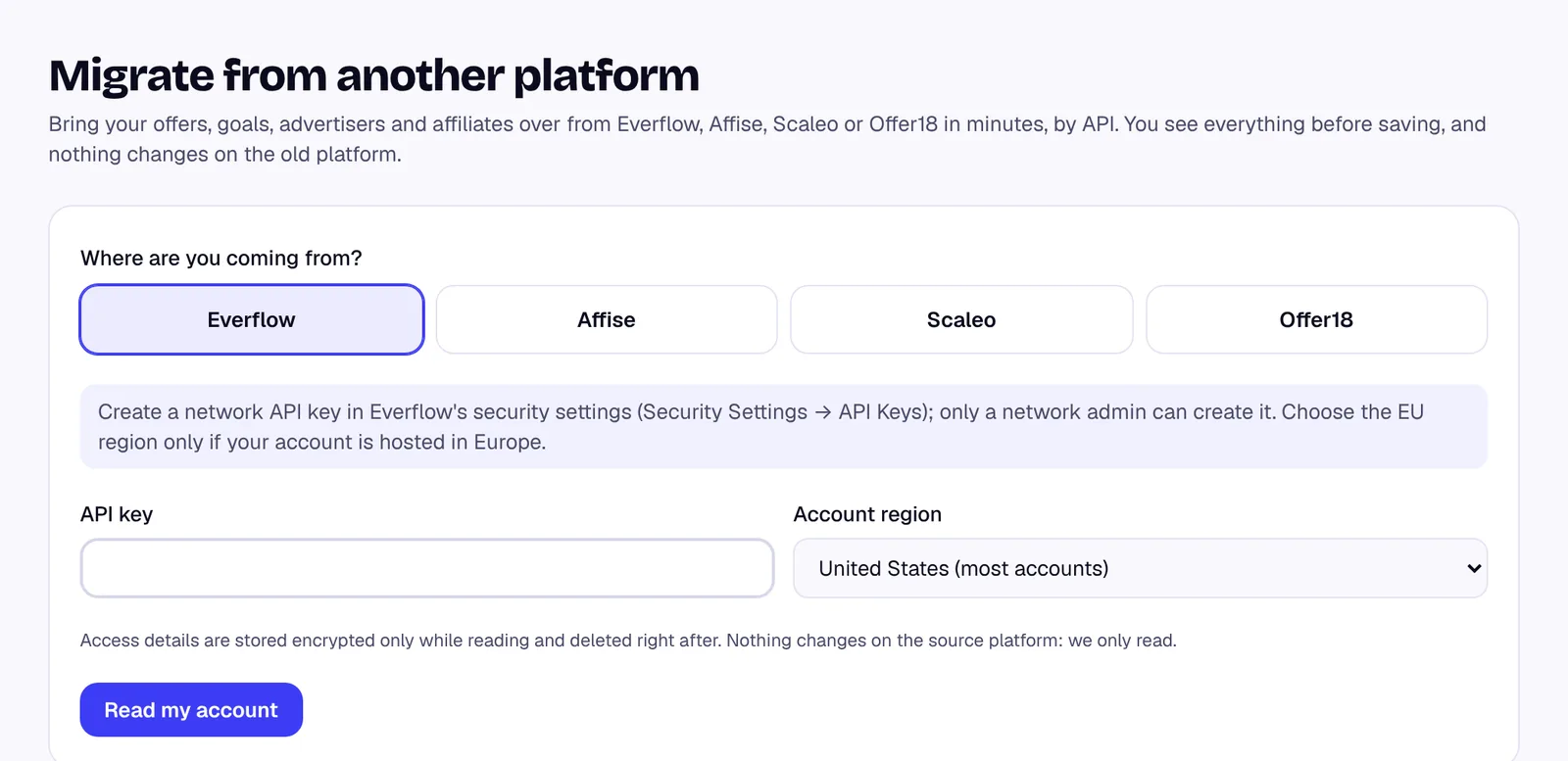
A network admin creates the key in Everflow's security settings (Security Settings → API Keys). Network keys are shown only once, so copy it straight away. We recommend a key created just for the migration, which you revoke at the end.
If your Everflow account is hosted in the EU (a small number of accounts), choose the EU region in RastroAff.
2. Start the migration
In RastroAff, go to Migrate, choose Everflow, paste the key and click Read my account. The key is stored encrypted only while reading and deleted right after.
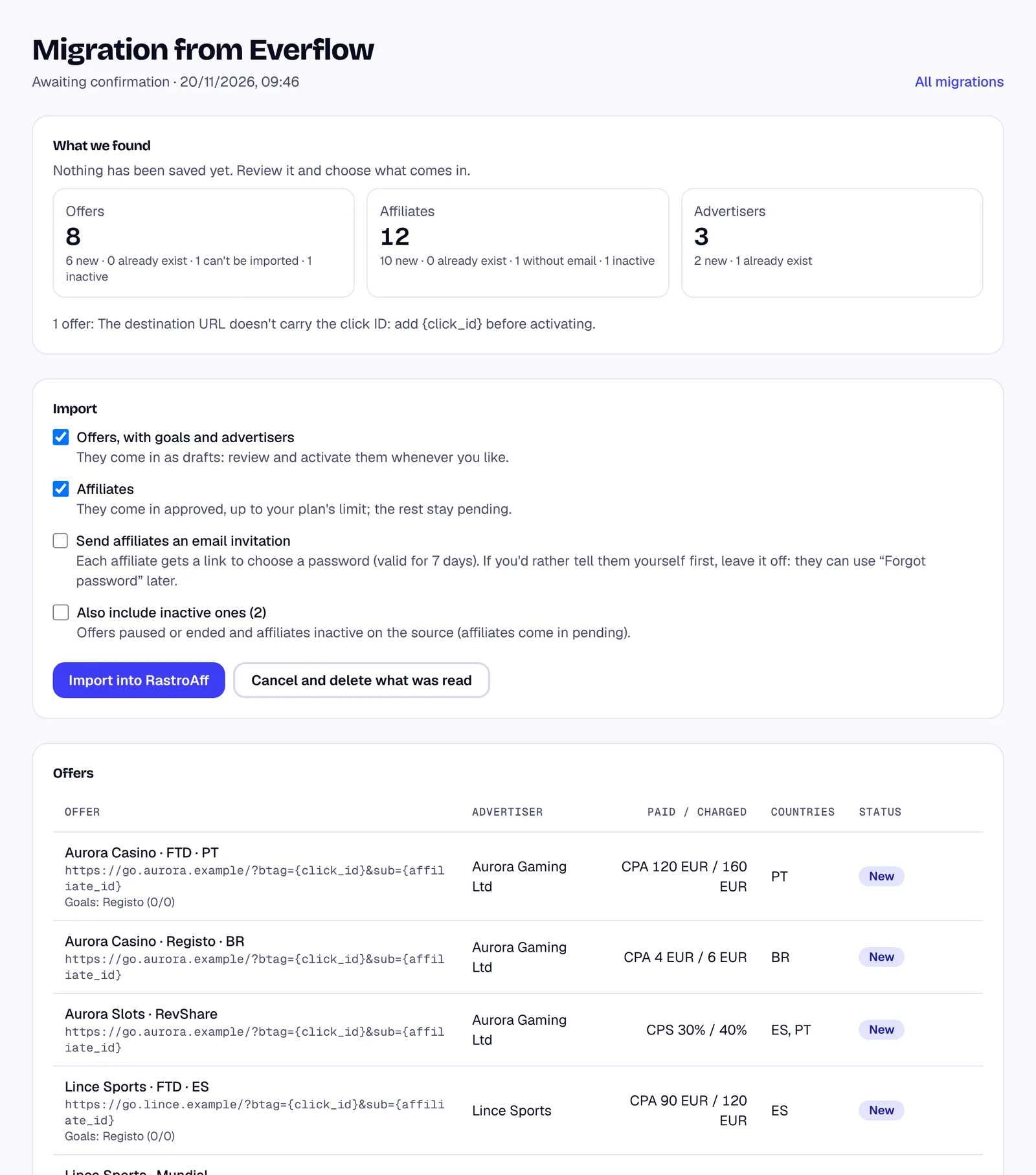
3. Review the preview
You see every offer, partner and advertiser and whether it is new, already exists or can't be imported, with warnings such as an unsupported payout type or a destination URL without a click ID. Choose what to import and confirm.
How macros are converted
| Everflow | RastroAff |
|---|---|
{transaction_id} |
{click_id} |
{affiliate_id} |
{affiliate_id} |
{offer_id} |
{campaign_id} |
{sub1} … {sub5} |
{sub1} … {sub5} |
{source_id} |
{source} |
Macros without an equivalent (for example {offer_name}) are removed from the destination URL and listed in the preview.
Good to know
- Payout types: CPA, CPC and CPS come in as they are. Types RastroAff doesn't have, such as CPM, come in as CPA with a warning to review the payout.
- Currencies: offers in EUR, USD, GBP and BRL are imported; others are listed as not importable.
- History (clicks, conversions, reports) and balances stay in Everflow.
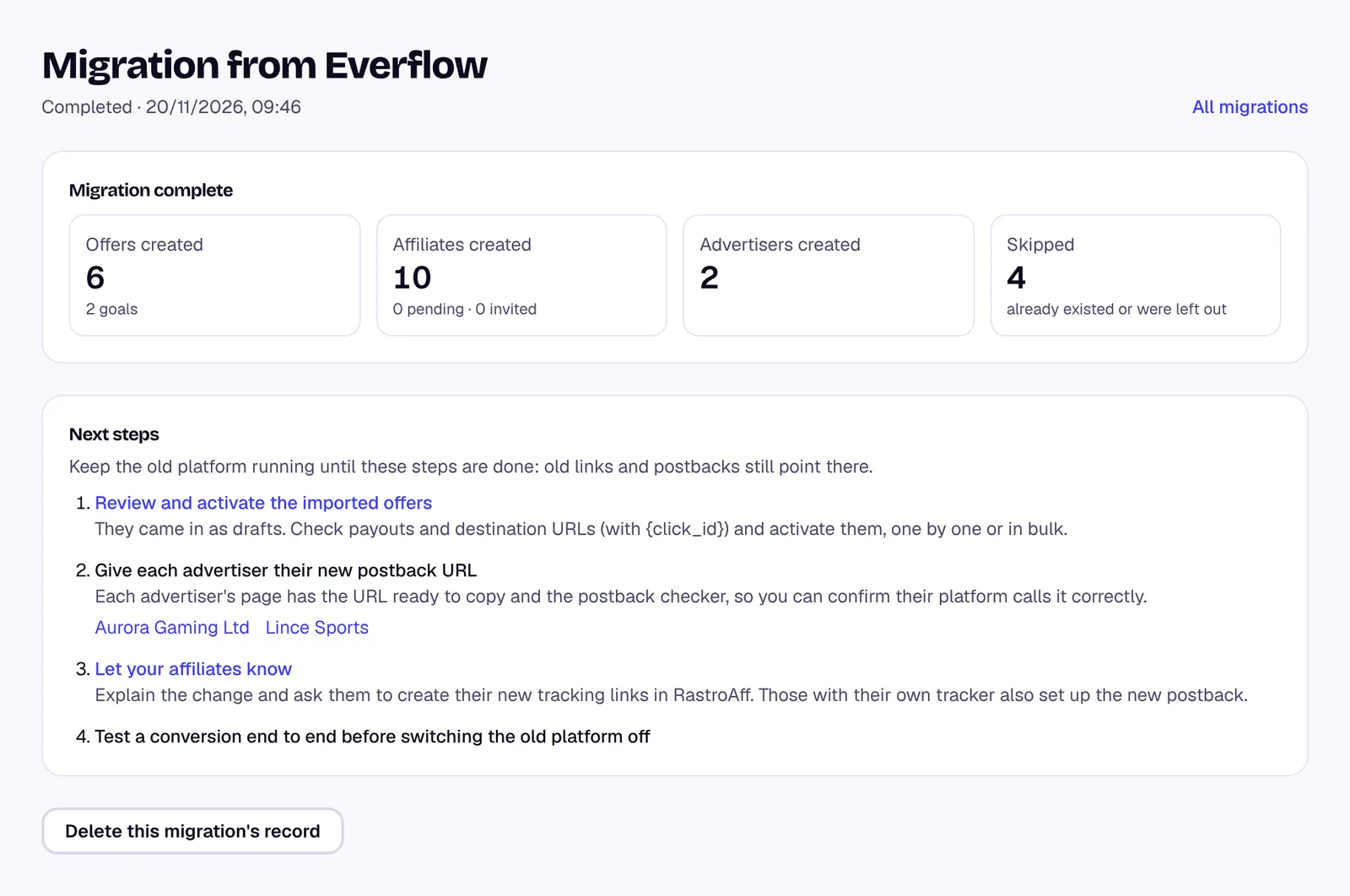
After the migration
- Review and activate the offers.
- Give each advertiser their new postback URL. Their page has the URL and a postback checker.
- Ask partners to create their new tracking links.
- Keep Everflow running for a few days, until conversions arrive in RastroAff.
See also how to switch affiliate software.